
Best Internet Providers in Cardiff
Cardiff, as the capital of Wales, is home to nearly half a million people and as such, has become a hub for industry and services. With its vibrant urban landscape, reliable internet is a must for residents, businesses, and students alike. Whether you’re streaming, gaming, working from home, or managing a small business, the right internet provider can make all the difference. Today we're looking at the top internet providers in Cardiff, focusing on their services, speeds, coverage, and what makes them stand out. We’ll look at five key players based on recent data and user feedback: Virgin Media, BT, Ogi, Hyperoptic, and Vodafone. Each offers distinct advantages depending on your location and needs.
Virgin Media
Virgin Media is a major player in Cardiff’s internet scene, known for its high-speed cable broadband. Unlike many providers that rely on Openreach’s network, Virgin uses its own infrastructure, delivering speeds up to 1.1 Gbps in many parts of the city. Around three-quarters of Cardiff residents can access their services, particularly in built-up areas like the city center and suburbs.
Their packages range from 125 Mbps to over 1 Gbps, making them a strong choice for heavy users like gamers or households with multiple devices. For example, their Gig1 package offers average download speeds of 1,130 Mbps, ideal for 4K streaming or large file downloads. Upload speeds are also competitive, often hitting 104 Mbps on higher tiers. Prices start around £26 per month for entry-level plans, though deals can vary with promotions.
Virgin Media’s reliability is a draw, with minimal downtime reported in urban zones. They also bundle TV and phone services, which can save money if you need more than just internet. However, their prices may rise after the initial contract, and some users report mixed experiences with customer service. Checking availability by postcode is key, as coverage drops in rural outskirts.
For those prioritizing raw speed and living in well-connected areas, Virgin Media is a top contender. Visit their website or call to check deals at your address.
BT
BT is the most popular provider in Cardiff, largely due to its widespread coverage via the Openreach network. They offer both part-fibre (FTTC) and full-fibre (FTTP) options, with speeds ranging from 36 Mbps to 900 Mbps. According to recent data, BT’s average download speed in Cardiff is 167 Mbps, with most users seeing between 61 Mbps and 295 Mbps.
Their full-fibre packages, like Full Fibre 900, deliver up to 900 Mbps for downloads and 110 Mbps for uploads, suitable for demanding households. Prices start at around £28 per month for basic plans, with faster options costing more. BT also provides hybrid packages with mobile and TV, including access to BT Sport. Their Halo 3+ plan, for instance, includes a 4G backup router to keep you online during outages.
BT’s strength lies in its availability—virtually all homes in Cardiff can access at least their basic ADSL or superfast fibre plans. They also offer social tariffs for low-income households, starting at £15 per month for 36 Mbps. Customer service is generally well-rated, though some users note setup fees can add up. If you’re after a reliable provider with broad reach, BT is a safe bet.
Check your postcode on their site to confirm speeds and pricing.
Ogi
Ogi is a Welsh provider focused on bringing full-fibre broadband to South Wales, including Cardiff. They’re newer to the market but have gained traction for their competitive pricing and local focus. Ogi’s average download speed in Cardiff is 258 Mbps, making them the fastest provider in terms of real-world performance, per recent reports.
Their plans start at £17 per month for 150 Mbps, with top-tier options reaching 900 Mbps. Unlike providers using copper lines, Ogi delivers fibre straight to your home, ensuring stable connections even at peak times. They also offer voice services over fibre, letting you keep your existing phone number. Installation takes about 1.5 hours, and they can handle switching from your current provider.
Ogi’s coverage is expanding but not universal—check their postcode tool to see if they serve your area. They shine in networked communities like Cardiff Bay or Penarth, with plans to grow further. For businesses or homes wanting local support and fast fibre, Ogi is worth considering.
Contact them at 029 2002 0520 or via their website.
Hyperoptic
Hyperoptic targets specific urban areas in Cardiff, particularly modern apartment blocks in the city center. They provide full-fibre broadband with symmetric speeds, meaning uploads are as fast as downloads. This is a big plus for remote workers or content creators. Their plans range from 150 Mbps to 1 Gbps, with prices starting around £20 per month.
Recent data shows Hyperoptic serves around 964 homes in Cardiff with average speeds of 159 Mbps. Their 1 Gbps plan is popular for its reliability and low latency, ideal for gaming or video calls. Hyperoptic also offers no-contract options, giving flexibility to renters or those wary of long commitments.
The catch is their limited coverage—mainly large buildings in central areas like Cardiff Bay. If you’re in their network, Hyperoptic’s speed and pricing are hard to beat. If not, you’ll need to look elsewhere. Their customer service gets strong reviews, often praised for quick responses.
Use their postcode checker online to see if they’re available at your address.
Vodafone
Vodafone leverages Openreach’s network for its fibre broadband, offering speeds from 35 Mbps to 900 Mbps. Their average speed in Cardiff is around 100 Mbps, with full-fibre plans hitting up to 910 Mbps for downloads and 100 Mbps for uploads. Pricing starts at £24 per month, often with discounts for existing Vodafone mobile customers.
Their Pro Broadband packages include extras like a 4G backup and advanced Wi-Fi routers, ensuring steady connections. Vodafone also boasts strong 5G coverage across Cardiff, except in areas like Pontcanna and parts of Cathays. This makes their mobile broadband a viable alternative for those without fixed-line options, with speeds up to 100 Mbps.
Customer feedback highlights Vodafone’s competitive pricing and bundle deals, though some note occasional speed drops during peak hours. They’re a solid choice for households wanting flexibility or those combining internet with mobile plans.
Visit their site or call to explore current offers.
Choosing the Right Provider
Picking the best provider depends on your location, budget, and internet needs. Here’s a breakdown to help you decide:
- Speed Needs: Light users (email, social media) can manage with 10-35 Mbps, available from BT or Vodafone’s basic plans. Streaming HD video needs 25 Mbps, while gaming or multiple devices require 50-80 Mbps. Heavy users (4K streaming, large households) should aim for 100 Mbps or more, offered by Virgin Media, Ogi, or Hyperoptic’s higher tiers.
- Coverage: BT and Vodafone cover nearly all of Cardiff via Openreach, while Virgin Media reaches most urban areas. Ogi and Hyperoptic are more limited but expanding. Use a postcode checker to confirm availability.
- Budget: Ogi’s £17 plans are among the cheapest for fibre, while BT’s social tariffs help low-income households. Virgin Media and Hyperoptic offer value for high-speed plans, but watch for price hikes post-contract.
- Extras: Bundles with TV or phone services (Virgin, BT) can save money. Ogi and Vodafone offer voice options, while Hyperoptic’s no-contract plans suit short-term needs.
Recent data shows Cardiff’s median broadband speed is 72 Mbps, faster than Wales’ average of 60 Mbps but slightly below the UK’s 75 Mbps. Full-fibre availability is strong, with over 84% of premises able to access it, per Broadband Genie. For the fastest real-world speeds, Ogi and Virgin Media lead, while BT dominates in popularity and reach.
Tips for Getting the Best Deal
- Check Your Postcode: Speeds and availability vary by street. Use providers’ online tools or comparison sites like Uswitch or Broadband Genie to see what’s available.
- Compare Prices: Look beyond monthly costs. Setup fees, price rises, and rewards like cashback affect value. For example, BT and Vodafone often include perks like gift cards.
- Consider Usage: A small household might not need 1 Gbps. Match your plan to your habits to avoid overpaying.
- Read Reviews: Check local feedback on platforms like Reddit. Users praise Hyperoptic for reliability but note Virgin’s past issues with price hikes.
- Ask About Contracts: Short-term options (Hyperoptic, Mazuma) suit renters, while long-term deals (BT, Virgin) can lock in savings but may have exit fees.
Cardiff’s internet market offers options for every need, from ultrafast fibre to budget-friendly plans. Virgin Media excels for speed, BT for coverage, Ogi for local value, Hyperoptic for urban apartments, and Vodafone for flexibility. By assessing your priorities and checking availability, you can find a provider that keeps you connected.

5 Accountants in Cardiff Who Support Your Business
Running a business in Cardiff, just like anywhere else, requires solid financial management. Accountants are the most reliable and efficient way to handle taxes, bookkeeping, and planning to keep things smooth. As the leading SEO agency in Cardiff, we have spent a lot of time working with various businesses for different reasons. Here is our breakdown of the five most reliable firms in the city that offer practical help for businesses of various sizes. Each one brings a lot of experience and specific skills to the table.
Hodge Bakshi
Hodge Bakshi stands out as a family-run practice in South Wales, with roots going back more than 40 years. Based in Cardiff, they focus on clear financial guidance for small operations. Their team includes chartered accountants and tax advisers who work with clients across sectors.
For businesses, they provide bookkeeping setups that comply with digital tax rules. This includes handling VAT returns and full financial overviews. They specialize in crypto asset taxes, with experts who ensure everything meets HMRC standards. Small business owners benefit from their approach, which cuts down on paperwork and lets them concentrate on daily work.
The firm partners with software like Xero and QuickBooks for easy tracking. They hold regulations from key bodies, adding reliability. If your business deals with digital currencies or needs steady tax support, Hodge Bakshi fits well.
HLS Accounting
HLS Accounting operates from Cardiff and targets small to growing businesses. Founded by Hannah Simpson, an ACCA member with close to a decade of experience, the firm keeps things straightforward and client-focused.
They cover core areas like tax returns, payroll processing, and bookkeeping. Businesses get help with corporation taxes and VAT filings. The team also sets up financial goals and plans to track progress. Outsourcing these tasks to HLS means owners avoid routine headaches and gain clear views of their numbers.
What sets them apart is their push for transparency. They explain finances in plain terms and aim to make the process less stressful. For startups or expanding firms, this support builds confidence in decisions.
Mazuma
Mazuma delivers online accounting from a base that serves Cardiff clients without a physical office in the city. They cater to freelancers, sole traders, and small companies with fixed monthly fees starting low.
Services include monthly bookkeeping, year-end accounts, and self-assessment taxes. They manage payroll, VAT, and dealings with HMRC. Clients send documents via post or an app that handles invoices and bank links. No tech skills are needed, making it accessible for busy owners.
Mazuma stands out with its flexible terms—no long contracts—and a simple system. They focus on freeing up time for what matters in the business. If you prefer remote help without meetings, this option works.
Xeinadin
Xeinadin has an office in St. Mellons, on the east side of Cardiff, near the M4. With over 30 years serving the area, they advise businesses in South Wales and beyond. Their team works with more than 60,000 clients across the UK.
For small businesses, they offer tax planning, payroll, and cloud-based accounting. They also provide corporate finance tips and sector-specific advice. The firm tailors plans to fit goals, whether starting up or scaling.
Access to the office is easy, and they build ongoing relationships for consistent support. Businesses in industries like retail or services find their knowledge useful.
TaxDriven Accountants
TaxDriven sits in Cardiff Bay, near landmarks like the Senedd. They serve local startups and established firms with a focus on tax efficiency.
Services range from bookkeeping and VAT to company setups. They handle full financial management at competitive fixed fees. For businesses prepping for tax season or seeking growth strategies, their team provides direct assistance.
They offer referral discounts, such as £30 off for tax returns. This encourages connections while keeping costs down. If location matters and you want hands-on help in the Bay area, TaxDriven delivers.
Businesses in Cardiff have choices when it comes to accounting support. These five firms each bring strengths, from local presence to online ease. Review your needs—like taxes, payroll, or advice—and reach out to one that matches. Good financial partners make running a business steadier.

How AI Has Changed SEO
As the leading SEO agency in Cardiff, we come across it a lot.
You probably do, too -
“SEO is dead”,
“AI is everything now”,
“that won’t work for much longer”.
Just like every other time something changes in the digital sector, people are tripping over themselves to say it’s the end of the world and everything we know is going out of the window.
But let’s stop and think for a second - SEO has always been about getting content, services and products in front of the potential customers or users that need them.
In that regard, nothing has changed.
“But isn’t AI a whole new platform and process I have to get my head around?”
Sort of….but not really.
AI isn’t a new marketing method or platform, it’s simply a new way in which users look for information.
It’s a new behaviour from the user, but the types of answer they’re looking for, and the types of answer that will perform well, are the same they’ve ever been - with expertise, authority and trust being the key factors that move the needle.
Search traffic isn’t dying off, it’s just fracturing between those users who click on pages in SERPS like they always have, and those who prefer AI generated responses.
Luckily for us SEOs, the process that gets us featured in those AI responses is very similar to the SEO ranking process we’re already very experienced with.
The framework that gives entities authority in AI responses is simple:
- Media mentions across publications that are authoritative and trustworthy
- Research that is not quoted from elsewhere establishes a level of expertise
- Branded citations and quotes from experts
- Schema and structured data

If you’ve worked in SEO for some time, none of this should be new to you.
AI is clearly going to grow in the next few years, both in popularity and capability, and this will translate into new user behaviours. However, it mostly relies on all of the same signals Google has been relying on for years. And even the new ones it can work from are extremely similar.
To avoid losing out as AI’s popularity and functionality develops, and to keep your brands and clients visible in this new age of SEO, you need a combined content and authority strategy that focus on visibility in different areas, such as:
- Short-form social media video content (think TikTok, YouTube Shorts and Reels) with keyword optimised captions and cross-platform threading
- Structured data using both traditional methods and new ones such as LLMs.txt
- Quotes from experts and authority figures in industry publications, citations from research, and brand mentions across sites with authority.
- Indexable content with E-A-T signals just like always worked before, with up to date data driven insights and truthful author bios also being helpful.
Here are some key things to look out for regarding how AI has changed SEO, and what SEOs should be ready for in the near future:
1. New Challenges and Opportunities

It’s not controversial to say AI has introduced both complexity and opportunity into the SEO landscape.
Challenges:
- Zero-click results: Search engines now often answer queries directly on the results page using AI-generated content, leaving fewer clicks for websites.
- AI-generated competition: Tools like Google's Search Generative Experience (SGE) or Perplexity pull from multiple sources to give instant answers, reducing visibility for traditional listings.
- Greater technical demands: SEO strategies now require schema markup, structured data, and AI-friendly formatting to compete.
Opportunities:
- Deeper content understanding: AI can assess context and nuance better, giving well-written, authoritative content an edge.
- Smarter strategies: AI-driven insights allow for highly targeted optimisation based on real behavioural data.
- Richer SERP features: Sites that embrace structured data can appear in featured snippets, image packs, and answer boxes.
AI has raised the bar, but it has also opened the door to more meaningful and measurable success—if marketers are willing to adapt.
2. The Rise of Generative Search Engines

Traditional search engines returned a list of links. Now, they generate answers.
Google's SGE, Microsoft's Copilot (formerly Bing Chat), and even platforms like ChatGPT are changing the experience entirely. When users search, they receive AI-generated overviews—sometimes with cited sources, sometimes without. These experiences are driven by large language models (LLMs), which summarise the web instead of just indexing it.
For marketers, this means optimising content not just for ranking—but for inclusion within AI-generated answers.
3. How User Behaviour Is Shifting

Search users are adapting to this new reality.
Many people now trust AI-generated summaries as their final answer. Studies suggest that 20% to 40% of users don't click any results after reading these AI-generated snippets. Instead, they get what they need directly on the SERP.
This zero-click behaviour has forced SEO strategies to evolve beyond simply "ranking first". Brands now need visibility within AI responses, which means thinking about content structure, schema, and topical depth more than ever before.
4. Answer Engine Optimisation (AEO): The New Frontier

AEO is the practice of making your content more accessible and attractive to answer engines—not just traditional search engines.
To optimise for AEO:
- Place clear, concise answers high up on the page.
- Use heading tags (like H2 or H3) for questions and subtopics.
- Incorporate structured data like FAQ or HowTo schema.
- Keep language natural and direct—AI rewards clarity.
The goal is to make your page the best possible candidate to be quoted in an AI summary or featured snippet.
5. Generative Engine Optimisation (GEO): A New Strategy

GEO goes a step further than AEO. It aims to get your content quoted or referenced in the actual outputs of generative tools—like ChatGPT, Claude, or SGE.
Key GEO tactics include:
- Authoritative content: Google and OpenAI favour expert-level sources that show deep knowledge.
- Consistent branding: Ensure your site and name appear across trustworthy content hubs.
- New protocols: Use llms.txt or similar files to guide AI crawlers on how to use your data.
GEO is still emerging, but it's becoming a crucial piece of the SEO puzzle as generative tools continue to evolve.
6. E-E-A-T and Content Quality

Google's quality guidelines are still relevant in an AI-driven world—arguably more than ever.
E-E-A-T stands for Experience, Expertise, Authoritativeness, and Trustworthiness. These are the criteria that both AI and humans use to judge the value of a page.
To enhance E-E-A-T:
- Add author bios that highlight credentials.
- Include citations to high-quality sources.
- Avoid generic, low-effort content. Use original insights or research.
AI tools like SGE use these markers to determine which sources to quote and trust.
7. Creating Rich, Comprehensive Content
Thin content no longer ranks—or gets referenced.
Successful pages in an AI-shaped landscape:
- Cover topics in full, anticipating user intent.
- Use varied formats: tables, lists, definitions, examples.
- Include multimedia like images, videos, and diagrams.
The goal is to become a one-stop source that satisfies user queries fully and efficiently. AI systems favour these pages when crafting responses.
8. Technical SEO for AI-Centric Search

You can’t skip technical SEO. While it’s not going to suddenly be the make or break thing that features you in a ton of answers, neglecting it could be the red flag that prevents that ever occurring.
To make your site AI-friendly:
- Ensure schema markup is thorough and accurate.
- Optimise site speed and mobile usability.
- Use a clear, semantic HTML structure.
- Make sure pages are crawlable and well linked internally.
AI relies on structured data to understand and surface your content. Without it, even great content can easily be overlooked.
9. Using AI for SEO Workflows
AI isn’t just shaping search—it’s shaping how we optimise for it.
Tools like Clearscope, Surfer, MarketMuse, Jasper, and ChatGPT can now:
- Generate outlines or draft blog posts.
- Suggest internal links.
- Analyse competitors.
- Create keyword clusters.
These tools are excellent for scaling your strategy—but the end products still need a human voice. Always edit AI content for tone, clarity, and factual accuracy.
10. Gaining Visibility in AI Interfaces
AI interfaces are the new battleground for brand presence.
To build visibility:
- Regularly monitor whether your brand appears in AI-generated summaries.
- Optimise your digital footprint across forums, directories, social platforms, and trusted publications.
- Publish content that directly answers questions your audience is asking.
When users start asking AI for brand or product advice, you want to be the one it recommends.
11. Staying Ethical and Human in an AI World
While automation is helpful, there are ethical lines worth noting:
- AI tools can hallucinate facts—double-check everything.
- Copy-pasting AI content without editing risks plagiarism or inaccuracy.
- Maintain brand voice and storytelling—don’t let AI flatten your message.
- Always respect content rights, privacy, and consent.
Ultimately, the brands that win in this new era will be those who use AI as an assistant—not a replacement for real expertise.
SEO Future Proofing Checklist
- Blend traditional SEO with AEO and GEO strategies.
- Structure content clearly with questions, answers, and schema.
- Build trust and authority through E-E-A-T principles.
- Create complete, multi-format, intent-focused pages.
- Optimise your technical setup for both crawlers and AI readers.
- Embrace AI tools—but prioritise human judgement and creativity.
- Monitor how your brand appears in generative outputs—and adapt.
SEO in 2025 is no longer just about ranking on page one, although that will always be helpful. It’s about becoming the go-to answer, the quoted source, and the trusted voice across a growing number of AI-powered search experiences. The sooner you adapt, the better your visibility will be—no matter where or how your audience searches.
The OmniSEO Guide to Sitemaps
When you’re putting together a website, it’s arguably the main consideration to make sure search engines can find and navigate all of your pages easily. This becomes even more important if you’re adding new content to an already indexed site or competing in a particularly competitive niche. That’s where a sitemap comes in handy.
A sitemap, you guessed it, acts like a map of your site for search engines, making it easier for them to crawl each page and point the right users to the right pages and resources, helping internet users to find what they’re looking for.
While not every website needs one, if increased traffic and leads are a goal, you really should have a sitemap.
In this post we’re going to break down everything you need to know about this, but first, for newcomers to the whole idea:
What is a Sitemap, exactly?
A sitemap is simply a file that sets out your website’s structure. It lists your pages and shows how they’re connected.
Search engines such as Google and Bing use sitemaps to understand your content better – like which pages are most important, or which version of a page you want to be ranked in search results.
You can also create sitemaps aimed at real users, if you think your site could be made easier to navigate by this. These help people find the pages they need, improving their overall experience on your site.
At its core, a sitemap helps you organise your website content. Depending on its type, it might include:
- URLs for each page
- Structure or hierarchy of the site’s pages
- Last updated date for each URL
- How frequently each page changes (like weekly or monthly)
- Language for each page, if applicable
- Entries for images and videos
- Entries for news or timely content
Why Sitemaps Matter for SEO

It’s true that search engines don’t need sitemaps to find your content – they can crawl through internal links to discover pages. But a sitemap can make life much easier for them, especially if some of your content is a few clicks away from the homepage.
Sitemaps can also bring orphan pages (those not linked from anywhere else on your site) to search engines’ attention whereas they may otherwise not have been indexed in the search engine at all.
For your content to show up in search results, it needs to be accessible to crawlers like Googlebot and Bingbot. Sitemaps give you a direct way to highlight your most important pages, leading to better visibility, quicker indexing, and potentially higher traffic.
Sitemaps can also share details like how often a page is updated and what kind of content it holds, helping search engines prioritise what to crawl.
Types of Sitemaps: XML vs HTML
There are two main kinds of sitemap: XML and HTML. Each serves a different purpose, and you can choose to use one or both.
XML Sitemaps
XML sitemaps are mainly for search engines. They help crawlers find and understand your content.
They’re usually stored in the root directory of your website – like https://www.yourwebsite.com/sitemap.xml.
You can also hide your sitemap from visitors or competitors by renaming it or moving it to a subfolder.
Types of XML sitemaps:
- Image-focused sitemaps – These highlight important images on your site and help search engines find and index them, which is great for sites that heavily feature visuals.
- Video-specific sitemaps – If your site features videos, these sitemaps provide details like the video’s title, duration, and subject, so search engines can better understand and index them.
- News content sitemaps – Designed for websites with constantly updated news content, these help search engines identify and index your latest articles quickly.
Alternatively, you can add tags for images, videos or news directly into your main sitemap file.
An XML sitemap can’t have more than 50,000 URLs or be bigger than 50 MB. If you’re dealing with lots of images, videos or news articles, creating separate sitemaps for each is usually the best approach.
HTML Sitemaps
HTML sitemaps are designed for people. They’re basically web pages with links to your main sections – think of them as a user-friendly directory. They are far from necessary, but can still be helpful in many cases.
Sitemaps and Accessibility
Accessibility is all about making your website usable for everyone, including people with disabilities.
While it’s not a direct ranking factor for SEO, following these guidelines improves the experience for all visitors.
Creating a Sitemap
The first step is deciding whether to create a sitemap by hand or automate it. If your site is small (under 100 pages), you might create it manually. For bigger sites, automation will save you time.
Manually Creating an XML Sitemap
To build an XML sitemap by hand, list all your URLs in a text editor, including any relevant tags like the last modified date (lastmod). Make sure you follow the Sitemap protocol.
Creating an HTML Sitemap
For an HTML sitemap, list out the key pages and organise them in a clear structure. Then have a developer build the page and add it to your site.
Using Sitemap Tools and Plugins
There are loads of plugins and generators out there to make sitemap creation much easier. For example, WordPress users can turn to plugins like Yoast SEO, RankMath, or Simple Sitemap to generate and update XML sitemaps automatically.
If you’re not on WordPress, check out tools like:
- XML-Sitemaps.com
- Dyno Mapper
- WriteMaps
- Screaming Frog
- Octopus.do
These can handle even large or complex sites, with some offering visual sitemaps for easier editing.
Choosing What to Include in Your Sitemap
For XML sitemaps, include only the URLs you want indexed. Skip anything that’s blocked by robots.txt, password-protected, or admin-only.
For HTML sitemaps, keep it focused on what visitors need – no need to list every outdated or irrelevant page.
Deciding How Many Sitemaps You Need
If your site has more than 50,000 URLs, lots of images or videos, or is news-heavy, consider creating multiple sitemaps. This makes it easier for search engines to crawl everything.
For example, an ecommerce site with thousands of product pages might split its sitemap into separate files for each category.
Best Practices for Sitemap Optimisation
Even with automated sitemap generators, it’s good to check and refine your sitemap regularly:
- Remove tracking parameters and special characters from your URLs to keep them clean
- Only include canonical URLs to avoid duplication
- Avoid listing URLs that are marked with a "noindex" tag
- Use UTF-8 encoding so that your sitemap works correctly with special characters
- Include language-specific tags when applicable
- Use a sitemap index file if you have several sitemaps for one website
- Consider dynamic sitemaps that update in real-time as your content changes
It’s also a good idea to review your sitemap at least once a month, or whenever you make major site changes.
Submitting Your Sitemap

To make sure search engines are using your sitemap, submit it directly. For Google, log in to Google Search Console, select your site, and head to the “Sitemaps” section under “Indexing.” Pop in your sitemap URL and click “Submit.”
You can do the same for Bing, Yahoo, and others using their webmaster tools.
Monitoring Your Sitemap
Keep an eye on how your sitemap is performing. In Google Search Console, you’ll see messages about errors or crawl issues. These can include:
- Invalid dates in your sitemap
- Exceeding the 50,000 URL or 50 MB limit
- Compression problems
- Broken or missing URLs (like 404 errors)
- Unsupported file formats
If you see any errors, take steps to fix them. You can also use tools like Semrush’s Site Audit or Screaming Frog to monitor for issues and get recommendations.
Here are some handy tools for sitemap creation and maintenance:
- Yoast SEO (WordPress plugin, automated sitemap generation)
- PowerMapper (HTML, XML and visual sitemaps)
- Screaming Frog (generate XML sitemaps and find errors)
- Semrush Site Audit (spot sitemap errors and more)
- Slickplan (visual sitemaps for team collaboration)
- Sitebulb (audit sitemap for SEO)
- MonSpark (real-time monitoring)
Choose tools that fit your website’s needs – for example, Slickplan is great for team visualisation, while Yoast SEO is perfect for WordPress sites.
As we’ve hopefully covered, sitemaps aren’t strictly required, but they’re a powerful tool to help search engines and visitors find what they need. A clean, well-maintained sitemap boosts your SEO, speeds up indexing, and improves accessibility for everyone.
So, take the time to set one up and keep it up to date – your website will thank you for it!

How to Make Your Blog Posts SEO Friendly
How to Make Your Blog Posts SEO Friendly
Wondering how to make your blog posts SEO friendly?
Then you're in the right place!
As the leading Cardiff SEO agency, we've published millions of words of content for hundreds of sites and businesses over the years.
Today we're going to cover everything you need to know to write a high quality blog post that will rank in Google, bring your site relevant traffic, and increase your overall authority.
Scroll down to get right into it but first, for those who are new to the idea - why does this matter at all?
Why Write Blog Posts for SEO?
Writing blog posts allows you to target lower competition keywords, that are easier to rank for that high competition commercial and service keywords. They also allow you to cover a broader range of topics, be seen as an authority in your niche, and bring your site or business to the attention of web users who are looking to answer specific questions related to your niche.
For example, let's say you're a plumber in London. Obviously, your main goal will be to rank for keywords like "London plumbers" and "plumber in London", since these will likely be the highest searched keywords in your niche and people typing them are highly likely to become paying customers.
But every other plumber in London will be trying to rank for these terms too, making them highly competitive. This means ranking for them may take quite a while and cost a fair bit of money.
It's still a good goal to have, but you will also find longer tail, more specific keywords, usually asking a specific question around plumbing. For example "what is the hourly rate for a plumber in London", "how to plumb in a dishwasher" or "does home insurance cover plumbing".
Writing quality posts answering these questions is an effective strategy because:
- These keywords are going to be much less competitive than the basic plumbing keywords mentioned above, meaning you can rank for them much more quickly, easily and cheaply (possibly not even needing any backlinks at all for the lowest competition ones).
- Answering these questions in detail will help Google see you as an authority on the topic, increasing the ranking power of your entire site. It can also have the same effect on readers, leading to your site being seen as one of the most authoritative in your niche and encouraging people to come back to learn more.
- These posts will mostly be read by people looking to learn more about plumbing, so by positioning yourself right and effective use of calls-to-action, you can drive many of them to your service pages and turn them into paying customers (more on this later).
Now that you hopefully understand the power of writing blog posts for SEO purposes, let's jump into the how.
We will break down all the major things you need to write and optimise an effective SEO blog post, but first, there is one rule above all else:
Write Good Quality Content

This is rule number 1 and the main thing to keep in mind at all times.
The content you produce has to be good quality, clear, easy to read, and answer the question thoroughly for anyone who's reading it.
If it doesn't do this, it will never achieve anything, even if you nail every other tip on this list.
After all, if a post is good, readers click on it more often, spend more time on it, and other sites link to it. These are all factors that support and boost your rank in Google.
If none of these things happen, the post is unlikely to ever rank well or achieve much.
Optimise for Keywords
If your content doesn't contain any keywords, it isn't going to show up in any searches, it's as simple as that. It could be the best post on the topic, and it still won't matter if nobody finds it.
If there is one primary keyword you're trying to rank the post for, otherwise known as your "focus keyword", this should be in the title for the post, and be the main "slug" of the URL.
If there are other relevant keywords you need to use too, fit them in where relevant - they often make great H2s that allow you to go more in depth onto specific subtopics. These will help to tell Google what your post is about and ensure it ranks for other keywords beyond the focus keyword, giving you the best chance of higher traffic from relevant searches.
Focus on Readability
Readability is key at all times. Only a small percentage of people actually read a blog post from start to finish.
The vast majority have searched to find out a specific piece of information and are simply skim reading until they answer that question.
According to HubSpot, the average person spends 35 seconds reading a blog post.
There are two lessons here. The first, is to make your writing for your blog posts as concise and simple to read as possible.
It should be equally easy to read for a expert in the field or a 10 year old.
The second, is to use typology techniques like underlining, italics, bolding, colours, and highlighted sections to bring the readers eyes to the parts of the page you most want them to see.
Understand Search Intent
One of the most important things to get your head around, is understanding the intent of specific keywords.
In other words, what is the searcher looking for, and what is the most efficient way to provide it?
For example "SEO keyword research" could be someone looking to understand what keyword research is, or looking for professionals to carry it out for them. But if someone types "keyword research guide", you can assume they're looking for an explanation on how to do it themselves.
Obviously this gets quite a lot more complicated when you're looking at large lists of different keywords and subtopics, but the point remains the same - understanding what a person may be thinking or hoping to find when typing a specific search will help you tailor your content to them more effectively, which results in more clicks, more time spent on page, more backlinks, and therefore more traffic and authority.
Solve Problems Your Audience Face
When planning a specific blog post or piece of content, it's a great idea to put yourself inside the head of someone who's searching for it. Why would they be searching for it specifically? What are they trying to achieve with that knowledge?
By adding a little extra something to solve the issues they're facing, you can make your content more valuable and helpful, which also makes it more linkable.
Going back to the "keyword research" example used above, consider making a video of you doing your own keyword research. This gives newcomers to the idea an easier way to understand the process vs just reading through the basics of what keyword research is. It is also more likely to offer something new to someone who is already experienced in the topic.
Use an Attention Grabbing Title
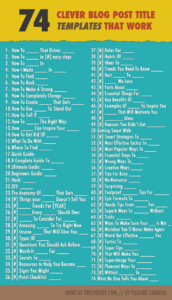
This is the simplest tip anyone can give you, but it is also easily overlooked. Your title will be the first thing anyone sees when your blog shows up in the search results, and is often the only thing they have to go off when deciding whether to click on it or not.
The key is to use clickbait techniques, without going all the way into clickbait, since straight up lying about the content is more likely to annoy people that draw them in.
Calling on techniques such as urgency or scarcity (don't miss out on this!), emotional triggers (this will scare you!), or hinting at something in the title without fully explaining it will go a long way to drawing people in.
Include Calls to Action if Relevant
If your blog posts are intended to bring traffic to core pages on your site such as product pages and service pages, you will need to do more than just link to those pages. While a simple hyperlink in the middle of some text is enough to send some authority to other pages, it isn't very tempting for a user to click on. Using a call to action is one of the most reliable and proven ways to push the click.
Optimise Meta Tags
Optimising your meta tags is the simplest and easiest way to improve the optimisation of a blog post. The title should match the h1 and URL slug to give Google absolutely no chance to misunderstand what the post is about. Equally, the meta description can basically be viewed as a free advertisement, giving you a chance to sell the post to people viewing it in the search results and encouraging them to go ahead and click.
Include Images & Videos
Images and videos help a posts rankability and increase the time users spend on the page too - as long as the media is relevant, informative and high enough quality for people to actually want to look at it. Images should be small enough to load fast and well optimised in terms of file names and alt tags.
Create the Best Post on the Topic
You're more than likely writing a blog post on a topic that's already been covered. If this is the case, you need to make it better than what's already available. If not, why would anybody want to link to you, and why would Google give you a good rank?
Better quality will fly up the ranks and people will naturally ink to it as a genuinely positive resource, which makes everything else easier going forward.
This is known as the skyscraper method and becomes more important the more competitive the topic is.
Hire a Professional
If you stick to the list of tips used here, it can be relatively easy to create a high quality blog post that performs well. But if you'd rather spend your time elsewhere, safe in the knowledge that this is being done effectively, consider hiring a professional. OmniSEO is Cardiff's leading SEO agency and is highly experienced in producing high quality content for all niches and industries.
SEO Blog Post Checklist
Now that we've covered the most important tips for writing an SEO blog post, here is a handy checklist for the main things to include. If you're writing good, clear content that covers all of these bases, you're in a good place
- Short sentences & Brief Paragraphs
- Clear Subheadings
- Bulleted Lists
- Visual Elements
- Avoid Keyword Stuffing
- Title Tags
- Slug/URL
- Meta Description
- Optimised Images (Alt Tags, Speed Etc)
- Geotagging for Local SEO
- Site Architecture
- Technical SEO